
A new website launch is an exciting milestone, but it’s only the start of your online journey. Many business owners believe their job is done once they get their website live. In fact, there are a number of important steps that should be followed to make sure the website performs well, reaches the right audience, and delivers real business results. Submitting your website to search engines, testing each page and monitoring enquiries post-launch, as well as integrating analytics tools, help maximise your investment. We care just as much about planning for what happens after launch as we do about the actual design and development process.
Why the Work Doesn’t End After Launch
Going live simply means your website is available for the public to visit. It does not automatically mean people will find it or that everything will work perfectly.
Your pages must be found and indexed by search engines. Users expect to move between devices seamlessly. Contact forms should enable the easy passage of enquiries, and the performance of the website should be measured from the beginning.
A variety of important post-launch activities allow us to quickly identify issues, improve visibility and create a better experience for all visitors.
| Task | Why It Matters |
|---|---|
| Submit the website to Google Search Console | Helps Google discover and index your pages |
| Complete GA4 setup | Tracks visitor activity and website performance |
| Connect Google Business Profile | Improves local visibility |
| Test the website on mobile devices | Ensures a smooth mobile experience |
| Check enquiry forms | Ensure customer messages are received |
| Review page speed | Improves user experience and SEO |
| Monitor the website regularly | Detects issues before they affect visitors |
1. Submit Your Website to Google Search Console
One of the first things we suggest doing after you launch your website is connecting it to Google Search Console. This is a free tool to help Google better understand your website. This allows us to submit the sitemap, check the indexing status, find crawl errors and find out what keywords are driving visitors to the site.
Google will eventually find your site without doing this, but in general, submitting it manually speeds up the process of getting it indexed. It gives helpful insights that assist in the gradual improvement of SEO.
2. Complete Your GA4 Setup
A website without visitor data is like running a shop without knowing how many customers walk through the door.
With the correct GA4 setup, we can find:
- How many people visit the site?
- What pages do most people go to?
- How people found the site
- How long will they remain
- Which pages encourage enquiries
And with these new ideas, not assumptions, we can make better choices.
3. Connect Your Google Business Profile

It’s an important step for local businesses to connect their website to their Google Business Profile.
This improves the visibility of local search results and helps customers find the right information, such as
- Business address
- Telephone number
- Web page.
- Operating hours
- Review from a customer
The website and business profile work together to create a better online experience for people.
4. Test Your Website on Different Mobile Devices
Most visitors today browse websites using smartphones.
Although the website may look perfect on a desktop computer, it is still important to test it across different mobile devices and screen sizes.
We usually check:
- Navigation menus
- Buttons
- Contact forms
- Images
- Text readability
- Loading speed
Even small problems can impact the user experience if they aren’t caught early. Customer expectations are only getting higher, so if you’re a business that’s investing in web design in Singapore, you should always put mobile usability at the top of your priority list.
5. Make Sure Every Contact Form Works
One of the most common problems after launch is discovering that enquiry forms are not sending emails.
This can result in lost business opportunities without anyone noticing. We always recommend testing every form by submitting several enquiries ourselves.
Things to verify include:
- Email notifications arrive correctly.
- Confirmation messages appear.
- Spam filters are not blocking enquiries.
- Information is delivered to the correct email address.
A simple five-minute test can prevent weeks of missed enquiries.
6. Review Website Speed
Visitors rarely wait for slow websites. If pages take too long to load, users may leave before reading any content.
After launch, we review website performance by checking:
- Image sizes
- Page loading speed
- Mobile performance
- Broken scripts
- Unnecessary plugins
Improving speed benefits both user experience and SEO.
7. Check Every Link and Page
Pages may be moved or changed more than once as the site is being built. Before we deliver the project, we conduct a thorough review of the website to ensure:
- Internal links work correctly.
- Buttons point to the correct pages.
- Images display properly.
- Downloads open successfully.
- Error pages do not appear.
These small checks help create a more professional experience for visitors.
8. Monitor Website Security
Never leave a live site alone. Regular monitoring protects the website from future security threats.
Key maintenance items include:
- Updating plug-ins
- Patch security
- Searching for weird login attempts
- Renew SSL Certificates.
- Performing regular backups
The security of the website protects the business and its customers.
9. Continue Publishing Fresh Content
The first step is simply to start a website. Regular updates show that the business is active and improve the chances of the business appearing in search results.
Businesses can continue adding:
- Blog articles
- Company News
- Case studies
- Testimonials from Clients
- New service pages
Visitors are also encouraged to go back and visit sites that have new content.
10. Monitor Performance and Make Improvements
No website is perfect from day one.
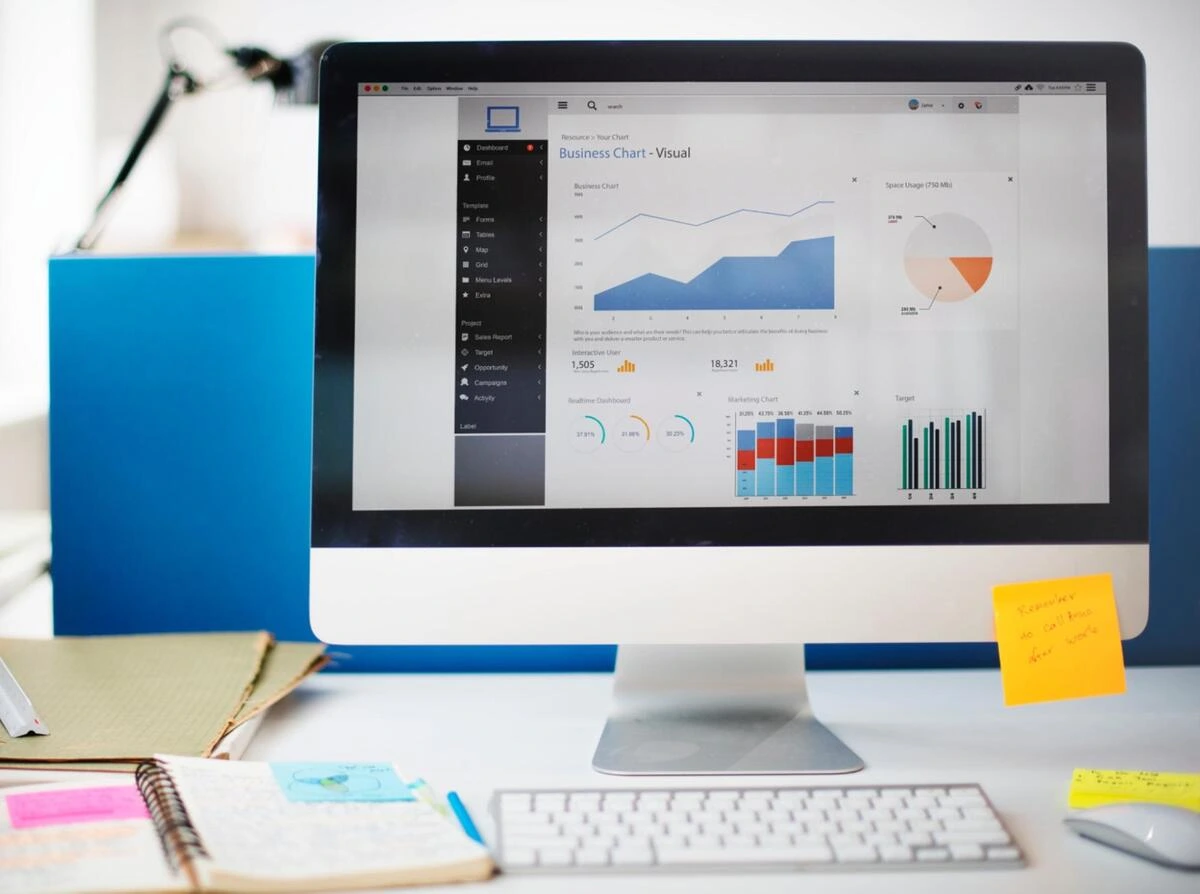
By reviewing data collected through Google Search Console and Analytics, we can understand how visitors interact with the website.
We monitor:
- Traffic trends
- User behaviour
- Bounce rate
- Popular pages
- Conversion rates
Small improvements made consistently often produce better long-term results than major redesigns every few years.
Common Post-Launch Mistakes
Many businesses forget about their website once it goes live.
Some common mistakes include:
- Ignoring website updates
- Never checking analytics
- Forgetting to test contact forms
- Not monitoring search performance
- Leaving outdated information online
- Skipping regular backups
Avoiding these mistakes helps protect the investment made in the website.
Conclusion
Launching a website is a huge achievement but keeping it performing requires constant attention. Simple things like linking up your analytics tools, running through your website launch checklist, monitoring enquiries, testing mobile performance and reviewing search visibility can go a long way over time. At iClick Media, we don’t just build websites. We help businesses get the most value out of them after launch. We’re here to help businesses grow a stronger and more successful online footprint, from professional web design in Singapore to ongoing optimisation and technical support.
Frequently Asked Questions
- What should you do immediately after you launch your website?
Register your website with Google Search Console. Complete your GA4 setup, check mobile performance, test forms, and check that all pages work properly. - What’s the importance of Google Search Console?
It helps Google to discover, index and monitor your website, but also gives you some very useful SEO information. - What does GA4 measure?
GA4 keeps track of user engagement, conversions, traffic sources, page performance, and visitor behaviour. - Why do businesses need to test their website on mobile devices?
Mobile testing is a must to make sure that all visitors have a smooth experience, as smartphones are the main devices used for browsing. - What is the recommended frequency of website reviews after it is launched?
Routine checks, security updates, backups, and performance reviews should be part of website maintenance.
A slow website loses visitors before they read a single word. Google’s research shows that as page load time slips from 1 second to 3 seconds, the probability of a mobile visitor bouncing increases by 32%, and that number climbs sharply from there. If your Singapore business site is sluggish, you are handing leads to competitors whose pages simply open faster.
Most page speed problems come down to a short list of fixable issues. This guide covers the real culprits and what to do about each.
Test Your Site Before You Fix Anything
Before changing any file, get a baseline reading. Google PageSpeed Insights (pagespeed.web.dev) is the standard starting point: it tests both mobile and desktop, flags specific issues, and scores your page out of 100. Anything below 50 on mobile needs attention. GTmetrix gives you a waterfall chart showing exactly which files are loading slowly and in what sequence.
Run both tools and record the scores. Re-run after each fix; the results show where the real weight is, not where it looks like it should be.
One thing to check before you start: test from a connection that reflects your actual visitors, not your office fibre. Singapore has strong broadband, but a substantial share of SME website traffic arrives on mobile data. PageSpeed Insights simulates a mid-tier mobile connection by default, which gives a realistic picture of what most visitors actually experience. If your score looks acceptable on desktop but not mobile, that gap is almost always where conversions are being lost.
The Most Common Reasons a Website Loads Slowly
1. Unoptimised Images
Images account for the majority of page weight on most business websites. A product photo exported from a camera at full resolution can run to 8 MB or more. A homepage with 6 of those has a 48 MB payload that even a fast connection will struggle with.
The fix: compress images before uploading, use the right format, and size them to match how they actually display on screen. A banner that renders at 1,200 pixels wide does not need to be uploaded at 4,000 pixels. Tools like Squoosh (free, browser-based) or ShortPixel (WordPress plugin) handle this well. WebP format typically delivers 25 to 35% smaller file sizes than JPEG at equivalent visual quality, and most modern browsers and CMS platforms support it now.
2. Too Many Scripts and Plugins

Every plugin on a WordPress site loads files. A contact form loads its scripts. A slider loads its scripts. A cookie banner, a chat widget, an analytics tag: each adds HTTP requests and JavaScript execution time. A typical small business WordPress site carries 15 to 25 active plugins, many of which load on every page regardless of whether that page uses them.
Go through your active plugins and identify which are actually in use. Deactivate and delete the rest. For plugins that remain, check whether they offer an option to load scripts only on specific pages. Cutting the request count from 80 to 50 on a page load often produces a more visible speed improvement than any single optimisation.
3. No Caching in Place
Without caching, every visitor triggers a fresh database query and page build. With caching, a stored copy of the rendered page is served directly. For a WordPress site with regular traffic, a caching plugin like WP Rocket or W3 Total Cache is among the highest-return fixes available. On a content-focused business site where the homepage does not change hourly, aggressive caching is almost always appropriate.
4. Cheap or Underpowered Hosting
Shared hosting plans at the lowest price tier put hundreds of sites on a single server. When traffic on any of those sites spikes, every other site on the server slows down. This is often the invisible ceiling that prevents all other optimisations from showing up in test results. If your hosting costs $3 a month and your server response time (TTFB) is consistently above 600ms, the hosting itself is the constraint, not your images or plugins.
Upgrading to a VPS or a managed WordPress hosting plan typically brings TTFB down to under 200ms. That single change can add 15 to 20 points to a PageSpeed score before you touch anything else.
The Hosting Question Most Singapore Businesses Overlook
Server location affects load time more than most site owners realise. If your business serves Singapore customers and your server sits in a US or European data centre, every request makes a round trip of roughly 200ms before a single byte reaches the visitor. Choosing a host with a Singapore or Southeast Asia data centre (AWS ap-southeast-1, Google Cloud asia-southeast1, or local providers like Vodien or Exabytes) cuts that latency to under 10ms for most local visitors.
A content delivery network (CDN) addresses the same problem for static assets even when the origin server cannot be moved. Cloudflare’s free plan caches images, CSS, and JavaScript files at edge locations globally, including Singapore. For a site where the origin server is locked into a foreign data centre, adding Cloudflare is often the most impactful single move available. Setting up a WordPress site takes around 30 minutes.
What to Fix First

Not every fix delivers the same return. Here is a practical priority order based on impact against effort:
- Image compression: high impact, low effort. Do this first.
- Enable caching: high impact, low effort. Install a caching plugin with default settings.
- Add Cloudflare: high impact, low-to-medium effort. Worth setting up before anything more involved.
- Plugin audit: medium impact, low effort. Deactivate everything unused.
- Upgrade hosting: high impact, medium cost. Consider this if TTFB stays above 600ms after the above fixes.
- Code-level work (minify CSS/JS, defer render-blocking scripts): lower impact for most business sites; best handled by a developer.
The first 3 items can be handled by a non-technical site owner in an afternoon. The code-level work typically needs a developer, but for a standard business website, it is rarely where the biggest gains are.
After You Make Changes, Measure Again
Re-run PageSpeed Insights and GTmetrix after each significant change and log the before-and-after scores. 2 patterns worth watching: a score that improves on desktop but stays low on mobile usually points to image sizes or render-blocking scripts not yet addressed for smaller viewports. A score that does not move at all after image compression means that hosting TTFB is the actual ceiling.
Page speed is not a one-time task. As a site grows (more content, more plugins, more images), the performance baseline drifts. Checking scores quarterly and after major content additions keeps problems from compounding. For businesses running active lead generation, a slow page is a conversion problem before it is a technical problem. The fix is worth the time.

|
iClick Media builds sites on lightweight, clean code as standard practice, because a fast-loading site is part of what clients are paying for,not an add-on. If your current site has performance issues that go beyond plugin-level fixes, it may be time to talk to a web designer about what a rebuild would involve. Reach the team at (65) 6362 0123 or sales@iclickmedia.com.sg. The picture on the left shows our Director Mr Terence Sim, with customer Mr Jack. |
Most website migrations go wrong not because of bad timing but because someone skipped a step that seemed minor. A missing redirect sends a busy page to a dead link. A backup taken too early means you restore an outdated database. A test site that was never properly checked goes live with broken payment forms.
This checklist walks you through every step in order so none of that happens.

Understanding Website Migration and Its Importance
Website migration is any change that moves or restructures your website. That includes switching hosting companies, moving from HTTP to HTTPS, changing your page addresses, rebuilding on a new platform, or redesigning your web design while keeping the same web address.
The biggest risk is to your Google rankings. When Google comes back to check your site after a migration, it looks for the same pages it knew before. If those pages are gone without a redirect pointing to their new address, Google treats them as deleted. The rankings those pages took months to earn go with them. This is why your web designer and SEO team need to work from the same checklist before launch, not sort things out after something breaks.
Planning for a Successful Migration
Three decisions need to be in place before any work starts: the go-live date, who is responsible for each step, and the rollback plan if something goes wrong and you need to undo the launch.
Schedule go-live during your lowest-traffic period. For most Singapore businesses, that means a weekday night between 11 pm and 2 am. Build in four hours of testing time after the switch. If something breaks, that buffer gives you time to fix or roll back before the next working day.
Set up a staging environment before migration work begins. This is a private copy of your site running on the new platform or design that only your team can see. Every test you run on staging tells you what will happen on launch day. Anything skipped there becomes a surprise afterwards.
Common Challenges During Migration
Broken links
When you change your URL structure, every old page address that disappears without a redirect becomes a dead end. Google records it as an error, backlinks stop working, and any internal link to that page goes nowhere. The fix is to export your full list of page addresses before migration using a tool like Screaming Frog, then map each old address to its new location before launch day.
Here is what that mapping looks like in practice:
| Old Page Address | New Page Address | Redirect Type |
|---|---|---|
| /services/web-design.html | /services/web-design/ | 301 (Permanent) |
| /about-us.html | /about/ | 301 (Permanent) |
| /blog/post-1.php | /blog/post-1/ | 301 (Permanent) |
Every row in that table is a redirect you set up before the DNS switch. None gets set up after.
Data loss
A backup taken 48 hours before launch captures an old version of your database. If something goes wrong on launch day and you restore that backup, you lose two days of orders, form submissions, and content changes. Back up the database and all files at the start of the migration window, not before it. For WordPress sites, back up both the database and the /wp-content/ folder. That folder holds your uploaded images, plugins, and theme files. Losing it means rebuilding from scratch.
Speed problems
A site that ran fast on your old server can slow down on the new one, not because anything changed in the site, but because the new server is not configured correctly. Run a speed test using GTmetrix or Google PageSpeed Insights before migration and again after. If the numbers are worse on the same content, the issue is server-side caching. Your hosting company fixes this, not your web designer.
Key Steps for a Smooth Website Migration
- Export your full list of page addresses using Screaming Frog or an equivalent crawl tool.
- Back up the database and all files at the start of the migration window.
- Freeze the live site. No content updates, no plugin changes until the launch is confirmed stable.
- Test every form, payment page, and third-party tool on the staging site.
- Set your DNS TTL to 300 seconds, 24 to 48 hours before go-live. TTL stands for time-to-live: it tells the internet how often to check for updates to your site’s address. Lowering it to 300 seconds means the change spreads faster when you flip the switch. Google’s own documentation notes that DNS propagation normally takes between a few minutes and 48 hours, depending on your domain registrar and your current TTL setting.
- Set up and verify all 301 redirects before touching DNS.
- Switch DNS.
- Once propagation is complete, crawl the live site and compare the output against your pre-migration export.
Quick Reference: What to Do Before and After Migration
- Export the full URL list before migration begins.
- Back up the database and all files at the start of the migration window.
- Test all forms and payment gateways on the staging site.
- Verify all 301 redirects before switching DNS.
- Crawl the live site post-launch and compare against the pre-migration export.
Website Migration Checklist Overview
| Step | Description | Responsible | Pre-Launch | Post-Launch |
|---|---|---|---|---|
| Data Backup | Save all files and databases | IT / Developer | Yes | No |
| URL Export | Export the full list of page addresses | SEO Team | Yes | No |
| Link Check | Test internal and external links | Web Designer | Yes | Yes |
| Redirect Setup | Set up and verify 301 redirects | SEO Team | Yes | Yes |
| Form Testing | Check contact and payment forms | QA / Web Designer | Yes | Yes |
| Speed Review | Compare site speed before and after | Administrator | Yes | Yes |
Tell Your Team Before You Launch
Send a migration notice to your internal team at least five days before go-live. Include the exact migration window, what will be unavailable during the switch, who to contact if something looks wrong after launch, and what the rollback plan is.
For site visitors, put up a brief maintenance message during the migration window. “We’re updating the site and will be back shortly” is enough. An unexplained outage leaves people more confused than a two-sentence message.
After launch, send a confirmation covering what changed and let everyone who manages content verify their access before the next working day.
Testing After Launch
Submit your updated sitemap to Google Search Console immediately after go-live. This tells Google to start crawling the new version of your site now rather than waiting for its regular schedule.
In the first 24 hours, check for broken links, missing images, and loading errors. Have your web designer test across Chrome, Safari, and Firefox, and on both desktop and mobile. Issues that look fine in Chrome sometimes appear on Safari or older Android devices.
Monitor Google Search Console for at least four weeks. Watch for pages flagged as Not Found, crawl errors, and changes in your keyword rankings. Some traffic drop in the first two weeks is normal as Google reprocesses the new site. If rankings have not recovered by week four, that points to a technical problem, not normal reprocessing. Google’s migration documentation notes that for large sites with thousands of indexed pages, full stabilization can take considerably longer than four weeks.

What to Look for in a Web Designer During Migration
Ask for a checklist specific to your site before work begins, not a template reused across every client. Your URLs, integrations, and platform dependencies differ from everyone else’s, and a generic list misses the risks specific to you.
Ask how they handle DNS timing. If your web designer cannot explain what TTL is or how long propagation takes, you have found a gap at exactly the right moment: before launch, not during it.
Make sure whoever manages the migration is still checking rankings and crawl health for at least four weeks after launch. Problems that show up in week three are common and fixable, but only if someone is still watching.
Ready to Move Your Website Without Losing Your Rankings?
A migration done wrong can take months to recover from. A migration done right takes the same amount of time but leaves your site faster, cleaner, and better positioned than before.
At iClick Media, we build a project-specific checklist for every migration we handle. If you are planning a website redesign or platform switch, talk to us before anyone touches the live site.
Contact us today, and we will walk you through what your migration actually involves before you commit to anything.
Redesigning a website can improve user experience, modernise branding, and increase conversions, but many businesses worry that a redesign might damage their search engine rankings. The positive aspect is that it is possible to re-design a website without affecting its visibility on Google. The trick is to plan carefully, implement SEO correctly, and ensure that critical elements of the website, such as URLs, remain intact. By using a website redesign SEO checklist, businesses can ensure that their website design is improved while their organic traffic remains unaffected. With the right strategy, a website redesign can actually improve search performance instead of harming it.

How can a website be redesigned without losing Google rankings?
It’s absolutely possible to redesign a website without losing any rank by keeping the old URLs intact and using them appropriately, keeping the SEO-related content intact from the old website, using ongoing analytics from the old website for the new website, and utilising an extensive website redesign SEO checklist. A new website can then be created that not only offers a better user experience but also provides ongoing SEO-driven traffic through organic means.
Why Website Redesign Can Affect SEO
Several technical changes frequently take place when a website is redesigned. The way search engines crawl and comprehend the website may be affected by these modifications.
Common issues during redesign include:
- Broken or changed URLs
- Lost metadata and headings
- Missing redirects
- Slower page loading speeds
- Changes in site structure
Rankings and organic traffic can drastically decline if these factors are not properly managed. For this reason, a lot of companies depend on a seasoned web design firm that is aware of both SEO and design needs.
Key Steps to Redesign a Website Without Losing Rankings
A successful redesign requires both technical preparation and SEO awareness. Following a structured approach helps ensure that the redesign improves performance rather than harming it.
1. Perform a Full Website SEO Audit
Before starting the redesign process, it is important to understand how the current website performs. This includes identifying the pages that generate the most traffic and rankings.
Key elements to analyse include:
- Top-ranking pages
- High-performing keywords
- Backlinks
- Page load speed
- Internal linking structure
This data serves as the basis for the SEO checklist for website redesigns and ensures that important SEO assets are preserved throughout the process.
2. Keep Important URLs the Same
Changing URLs needlessly is one of the biggest mistakes made during a redesign. Changing pages that have already been indexed by search engines can disrupt ranking signals.
Proper 301 redirects should be used if URL changes are inevitable so that users and search engines are directed to the new page automatically.
To avoid ranking loss, a professional web design agency frequently maps all current URLs prior to the start of the redesign.
3. Preserve SEO Content and Metadata

A key component of SEO is content. Important components like headings, keywords, and structured content must not change during a redesign.
Important elements to preserve include:
- Page titles
- Meta descriptions
- Header tags (H1, H2, H3)
- Keyword-focused content
- Internal links
By maintaining these components, the new web design can retain the SEO strength built over time.
4. Improve Website Structure and User Experience
A redesign provides an opportunity to improve site navigation and usability. However, structural changes should be implemented carefully.
Good practices include:
- Creating a clear navigation menu
- Maintaining logical page hierarchy
- Improving mobile responsiveness
- Optimising page speed
A well-organised site structure helps search engines crawl the website more effectively while also improving user experience.
Important SEO Elements to Monitor During Redesign
The following table highlights key SEO elements that should be carefully managed during a redesign project.
| SEO Element | Why It Matters | Recommended Action |
|---|---|---|
| URL Structure | Maintains page authority | Avoid unnecessary URL changes |
| Redirects | Prevents broken links | Use 301 redirects for moved pages |
| Metadata | Helps search engines understand pages | Preserve titles and descriptions |
| Internal Links | Supports navigation and indexing | Maintain link structure |
| Page Speed | Affects rankings and user experience | Optimise images and code |
Using this structured method makes sure that the redesign process doesn’t hurt search engine visibility.
Test the Website Before Launch

Testing is one of the most important steps in any redesign process. Before launching the new site, everything should be carefully reviewed to ensure that SEO performance remains intact.
Testing should include:
- Checking redirects
- Verifying internal links
- Testing page loading speed
- Reviewing mobile responsiveness
- Confirming analytics tracking
These steps are an important part of the SEO checklist for redesigning a website. They help find problems before they hurt search rankings.
Monitor Performance After Launch
Even after a redesign is completed, monitoring performance is essential. Search engines may take some time to fully recognise the updated site.
Key metrics to monitor include:
- Organic traffic
- Keyword rankings
- Page indexing status
- Bounce rate
- Conversion rates
If any unexpected ranking drops occur, quick adjustments can be made to restore performance.
After the new site goes live, businesses that hire a professional web design agency often get ongoing help with SEO performance.
Conclusion
You can redesign your website without losing rankings or traffic by using an effective strategy. By utilizing the proper approach you can modernize the look of your sites while maintaining their current rankings and traffic. Essential components of the redesigning process include planning, respecting current URLs, keeping the same content, and following a structured checklist for SEO during the redesign. A quality web design project will provide better user experience and improve search engine visibility as well.

For businesses looking to redesign their websites with confidence, working with an experienced web design agency can make a significant difference. At iClick Media, we have the expertise to design contemporary websites while preserving the SEO capabilities that companies have strived to develop. Our company has the expertise to design websites while preserving the SEO capabilities that companies have developed.
Frequently Asked Questions (FAQs)
1. Will redesigning a website affect SEO rankings?
Yes, a redesign can change rankings if SEO elements are not kept. But using a proper SEO checklist for a website redesign can help keep it visible in search results.
2. How long does it take for rankings to stabilise after a redesign?
Search rankings may fluctuate temporarily after a redesign. In most cases, they stabilise within a few weeks if the redesign is implemented correctly.
3. Should URLs be changed during a website redesign?
It is best to keep URLs unchanged whenever possible. If changes are required, proper 301 redirects should be used.
4. Why is SEO important during a web design project?
SEO is important because it helps keep the website visible to search engines. Including SEO in the design stage can safeguard rankings and support long-term traffic.
5. Do businesses need a professional web design agency for a redesign?
Businesses may choose to manage redesigns on their own, but an experienced web design agency can help minimise risks and ensure a smoother website launch.
Product pages are what determine whether visitors make a purchase or leave the site. Clear information, well-organised layouts, and expected interaction minimise indecisiveness in the course of purchasing choices. A well-designed product page is geared towards usability, precision, consistency and not ornamentation. In Singapore web design, product pages should be fast-loading and not create misleading value by being confusing. Users want the pricing to be clear, the product information be clear, and the steps to be clear. Sluggishly optimised pages disrupt the decision process and cause a lack of trust. This resource describes our product page design and optimisation process based on established e-commerce ux guidelines.
Hierarchy in Product Page Structure and Content
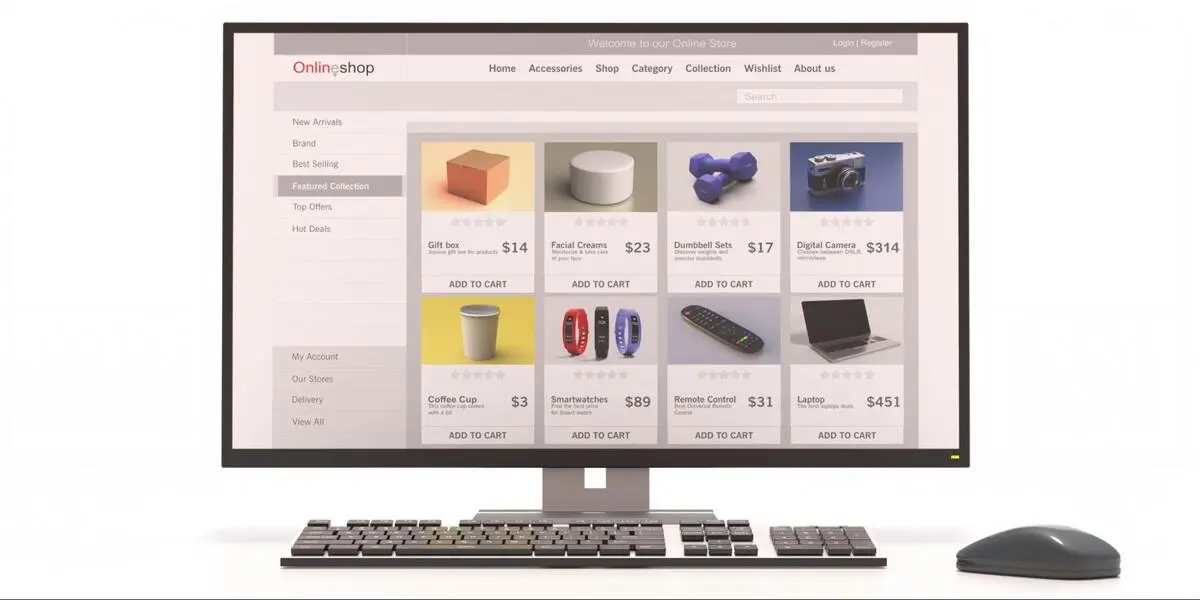
It has a good product page that starts with a clear, easy-to-understand structure. The main aspects of the product, pictures, title, price, and the major action are expected to be positioned where they are supposed to be. Section grouping and logical spacing facilitate easy scanning of information by the users. Critical information should not be hidden in unwarranted scrolls. Extensive texts must be divided into readable parts. Hierarchy also enhances ease of access and understanding. This systematic methodology assists in a good product page design across devices.
Graphical Design to Support Purchase Decision
Visual design is meant to support the interpretation and not to be a distraction. The images of the products should be precise, stable, and of adequate resolution. Several angles enable customers to compare merchandise without any doubt. Price and action buttons are the key elements that require visual emphasis. Colours need to be in accordance with the brand identity and be readable. The use of too many visual effects must be avoided so as not to be distracting. Website design in Singapore is one of the elements of e-commerce, which involves balanced visuals.
Composing Good and Effective Product Descriptions
The description of the product should tell what the product does, how it works, and who it is targeted at. The language used should be factual, simple and consistent throughout the catalogue. It also provides clear descriptions to enable users to make good choices, which reduces problems occurring after purchasing. Bullet points may be used to provide feature highlights so that they can be scanned. Do not use exaggerations or overkill on technical jargon. The use of consistency creates credibility. Superior writing is the focus of e-commerce ux best practices.
Pricing, Availability and Transparency

Pricing should be readily available and readable at first sight. Customers will be able to view the entire charge and pay for the delivery or any other fees. Status on availability needs to be precise and updated on a regular basis. Abandoned carts are usually caused by hidden charges. There are clear stock indicators which manage expectations. Formatting of currencies should be local. Open pricing is an aid to product page credibility.
Position of the Call-to-Action and Behaviour
Buttons to the call-to-action can be seen easily and understandably. The positioning must be in accordance with the natural reading of the page. Labelling of buttons must be action-oriented. The presence of buttons on both the desktop and the mobile screens should be maintained. Graphical feedback is used to establish the fact that an action is registered. Uniformity in the styling of the buttons enhances usability. In Singapore, online stores require clear activities in web design.
Mobile Optimisation and Responsive Design
The majority of customers shop and surf on their mobile phones. The product pages should be able to fit on various screen sizes. Elements of touch must be touchable to tap without difficulty. Materials should be arranged in a logical order without concealing the important details. Photos must be scaled without being blurred. The conversion rates are directly related to mobile performance. Modern product page design is a normative aspect of responsive behaviour.
Speed, Technical Stability and Performance
Delays in products decrease activity and revenue. Optimisation of images and good code enhances the loading times. The scripts are to be restricted to the needed functionality. The constant performance enables continuous browsing. Trust and usability are enhanced with the help of technical consistency. Search visibility is also influenced by the speed of its pages. Such technical requirements are in line with e-commerce ux best practices.
User Confidence and Trust Signals

Indicators of trust give a positive message to the users in the process of purchasing. Social validation is through reviews and ratings. An unambiguous policy of returns minimises risk perception. Confidence is created by the ease of access to the support information. Security indicators must exist, though not in the way. Credit is increased by consistency within product pages. Confidence has a quantifiable contribution to the effectiveness of product page design.
Typical Product Page Design Aspects
- Good title and prices of products.
- High-quality product images
- Organised product description.
- Conspicuous call-to-action button.
- Open availability status.
- References to trust and support.
The Overview of Product Page Optimisation
| Element | Function | User Benefit |
|---|---|---|
| Product pictures | Graphical depiction of the product/item | Assists the consumer in considering the look and specifications. |
| Product description | Elaboration of functions and use | Reduces misconceptions and misunderstandings. |
| Pricing presentation | Displays cost and charges in an open way | Transparency and trust are built. |
| Action to be taken | Starts a purchase process | Leads to checkout. |
| Mobile responsiveness | Changes layout to suit devices | Enhances cross-screen usability. |
Conclusion
Optimised product pages are superior in the sense that they are clear, user-friendly, and performance-based rather than visually superfluous. Decisions are made with the help of structured layouts and clear writing. Friction during the buying process is minimised by the application of e-commerce ux best practices. The design of the product pages should be the same, clear, and available. Website design in Singapore is also concerned with the details which directly influence the results of conversion. A disciplined approach will guarantee that the product pages fulfil the expectations of the users and the business goals.
It is now necessary to know what is SSL and what is HTTPS, because they have become paramount to all web owners in the cyber world. Websites are not just web-based brochures anymore; they are sites dealing with enquiries, personal data, payments, and even confidential communication. In the absence of security, this information may be intercepted or abused. To companies that deal with a Singapore web designer, the security of the websites is not only technical but also regarding trust, search exposure, and sustainable digital stability.
What Is SSL and Why Does It Matter

What is SSL is a question many novices pose when embarking on the control of a site. SSL is the abbreviation of Secure Socket Layer and is a piece of technology that encrypts the data that is sent between a website and the browser of a user. With the presence of an installed SSL on a site, the entire information, including contact forms, passwords or credit card details, is turned into coded information that can easily be deciphered by any third party. This implies that the visitors are able to interact with a site with more confidence that their information is under protection.
What Is HTTPS and How It Works
What is HTTPS? It is the secure variant of the standard HTTP protocol. The additional S is secure, and this means that there is encryption with the help of the SSL. When a site uses HTTPS, the traffic between the visitor and the server is encrypted. This is the reason why there is a padlock image shown by the current browsers in front of the address of the site. An online graphic designer in Singapore will never suggest otherwise since HTTPS will convey to the user and search engines that the website is adherent to the due security measures.
Why SSL and HTTPS Are Linked
SSL and HTTPS work together. The encryption is offered by the use of SSL and the HTTPS protocol. HTTPS makes use of encryption to secure the transmission of data. In the absence of the SSL, HTTPS will not work. It is this relationship that makes the knowledge of what is SSL also useful to define what is HTTPS. They both form a safe means of communication that safeguards both the web proprietors and visitors.
The Impacts of Website Security on Customer Trust
When visitors feel safe on a site, they are most likely to remain on the site. In case a warning is given by a browser, which shows that a site is not secure, people might abandon it. This applies particularly to the case of businesses that provide bookings or payments through the internet using online forms. A web designer will usually say that it is not only a technical option, but a visual sign of trustworthiness with the help of SSL and HTTPS. In the presence of the padlock icon, customers feel safer to divulge their information.
The Role of HTTPS in SEO

Secure websites are preferred by search engines. Google has verified that HTTPS is a ranking factor, which implies that secure websites could be ranked higher than non-secure websites. This renders the view of knowing what HTTPS is significant in any SEO plan. A Singaporean web designer will most often package the integration of an SSL to an entire website and an SEO package to make the site very safe and conspicuous.
SSL vs HTTPS in Website Security
| Aspect | SSL | HTTPS |
|---|---|---|
| Definition | Encryption technology that secures data | Secure version of the HTTP protocol |
| Main role | Encrypts information between the browser and the server | Uses SSL to create a secure web connection |
| Visibility to users | Runs in the background | Shown by a padlock and https in the address bar |
| SEO impact | Indirect through site security | Direct ranking signal for search engines |
| Customer trust | Protects private data | Confirms the website is safe to use |
Common Risks of Not Using SSL
Plaintext websites are prone to information interception, phishing and other security attacks. Hackers are able to decipher or distort information being sent among the users and the site. This may cause a bad image of a business, and it can also result in punishment by the browsers and search engines. In the case of any business that has invested in SEO, disregard for SSL will spoil any other online activities.
The Implementation of the SSL Certificates
The website has an SSL certificate on the server, which is authenticated by a trusted certificate authority. After it has been activated, it allows HTTPS and encryption. This process can be done in a short time by most of the hosting providers and web designer teams. This is important to the business owners because they have to ensure that the certificate is valid and should be renewed periodically to ensure the site is secure.
The Advantages of Using SSL and HTTPS
- Secures confidential user information.
- Builds visitor confidence
- Helps achieve better SEO.
- Minimises security warnings in browsers.
- Enhances the credibility of the website.
SSL, HTTPS and Website Performance
Although encrypting is also brought with the help of the SSL, the current technology makes the secure websites load fast and conveniently. Actually, most web designer teams work on the optimisation of HTTPS websites to make them fast and quick. This implies that the use of the application of SSL will not slow a site down but rather add to a professional and trustworthy user experience.
The Reason why Businesses in Singapore Require Secure Websites

As online transactions and online communication increase, the security of websites has become an issue that businesses in Singapore should focus on. Customers demand that their information be processed responsibly. A web designer in Singapore knows the expectations of local businesses and makes sure that he/she have installed the right settings of the SSL and Https in all professional websites that he/she build.
Finding a Web Designer Who Knows about Security
Security is not a priority for all web designers. A web designer should be approached, and they should know the interaction of the use of the three: SSL, HTTPS, and SEO. This makes sure that a site is not only a good-looking site but also secure and optimised in search engines.

The fundamental requirement of any person operating a site nowadays is to know what is an SSL and what is HTTPS. Such technologies ensure the safety of user data, increase trust, and facilitate the performance of SEO. Using the services of a professional Singapore web designer, who properly installs the SSL and HTTPS, a company is able to establish safe sites that the customers, as well as search engines trust.
Many businesses invest in a website but fail to turn visitors into customers. The problem is rarely traffic, it is design. At iClick Media, we see businesses lose leads due to web design mistakes that confuse users, slow them down, or reduce trust. We help brands in web design Singapore build websites that are clear, simple, and focused on conversions. Our approach combines strategy, design, and user behaviour insights to create websites that drive enquiries, sales, and business growth.

Why Web Design Impacts Conversions
Your website is the first point of contact for many customers. If visitors struggle to read content, navigate pages, or know what to do next, they leave within seconds. These issues reduce conversion rates.
Good design guides users toward action. Our team focuses on clarity, usability, and structure when creating web design Singapore solutions for businesses of all sizes. Every element on the page serves a purpose and moves visitors closer to enquiry or purchase.
1. Cluttered Layouts That Overwhelm Visitors
One of the most common web design mistakes we see is clutter. Too many colours, fonts, images, and messages competing for attention overwhelm users and make it hard to focus on what matters.
When everything is highlighted, nothing stands out. Visitors don’t know where to look or what action to take next.
How We Fix It
At Singapore Web Designer, we simplify layouts by prioritising content and removing distractions.
- Clear visual hierarchy with proper spacing
- Focused call-to-action placement
- Clean colour schemes and consistent fonts
As a trusted web design agency, we design layouts that help users move smoothly from page to page without confusion.
2. Poor Readability That Drives Users Away
Even strong content fails if it is hard to read. Small fonts, low contrast, long paragraphs, and poor spacing are major web design mistakes that reduce engagement and increase bounce rates.
Visitors should be able to scan content quickly and understand key points without effort.
How We Fix It
Our website designer team improves readability by:
- Using clear font sizes and line spacing
- Using headings and brief paragraphs to organise content
- Ensuring strong colour contrast for accessibility
These improvements are essential for conversion-focused web design Singapore, especially for mobile users.
3. Low-Quality or Irrelevant Images
Images play a huge role in building trust. Blurry photos, generic stock images, or unrelated visuals make a website feel unprofessional and reduce credibility.
This is one of the most damaging web design mistakes, especially for service-based businesses.
How We Fix It
We carefully select and optimise visuals that support your brand and message.
- Optimised, high-quality photos that load quickly
- Visuals that reflect your actual services or products
- Consistent image style across the website
As a results-driven web design agency, we ensure visuals enhance user confidence rather than weaken it.
4. Confusing Navigation That Breaks User Flow

If visitors cannot find what they are looking for within a few seconds, they leave. Complicated menus, unclear labels, and too many navigation options frustrate users.
This is a serious error in web design that has an immediate impact on conversions.
How We Fix It
We make navigation that feels natural and easy to use.
- Simple menu layouts
- Clear names for pages
- Grouping content in a logical way
Our website designer team ensures users reach key pages such as services or contact pages quickly and easily. Clear navigation reduces friction and keeps users focused on action. This structure supports stronger engagement and higher enquiry rates. It forms a core part of effective web design Singapore focused on results.
5. Weak or Missing Call-to-Actions
A lot of websites don’t make it clear what users should do next. Visitors look around and leave without converting if there aren’t strong calls to action. This is one of the most common mistakes people make when designing websites.
How We Fix It
As a conversion-focused web design agency, we guide users with clear CTAs.
- Action-driven button text
- Strategic CTA placement across pages
- Consistent messaging that fits with business goals
This method helps Singaporean web design companies turn visitors into real leads.
Common Web Design Mistakes and Their Impact
| Web Design Issue | Impact on Conversions | Our Solution |
|---|---|---|
| Cluttered layouts | Too many users, not enough engagement | Clean, focused design structure |
| Poor readability | High rates of bouncing | Improved typography and spacing |
| Bad images | Low trust and credibility | High-quality, relevant visuals |
| Confusing navigation | User frustration and drop-offs | Simple, intuitive menus |
| No clear CTA | Missed leads and enquiries | Strategic call-to-action placement |
Why Businesses Choose Us for Web Design

We don’t believe web design should be based on guesswork. Every design decision we make is guided by user behaviour, business objectives, and performance data.
When businesses work with our website designer team, they benefit from:
- Conversion-focused design strategy
- SEO-friendly website structure
- Mobile-first and responsive layouts
By avoiding common web design mistakes, we help brands build websites that perform—not just visually, but commercially.
Turning Design Fixes into Measurable Growth

Fixing design problems doesn’t just make things look better; it also has an effect on results. Better readability keeps people interested, clear navigation makes more people look at the page, and strong CTAs get people to ask questions.
We are a full service web design company, so we combine design with SEO, performance enhancement, and user logic to give our web design Singapore services an opportunity to help businesses grow long term.
Final Thoughts
Web design mistakes often go unnoticed, yet they quietly drain conversion potential. Cluttered layouts, poor readability, bad images, and confusing navigation all create friction for users.
Through purposeful design that is focused on conversions, we assist organizations in determining and solving problems. With years of website design experience and as a reputable web design business, we develop websites that are well-defined and have high credibility, and will therefore generate returns for you, just like your great business does every day for your customers.

Have you ever wondered how websites are made? That’s what web design is all about. Whether you’re just starting out or already know a bit, we’re here to guide you through the basics.
Introduction to Web Design
Web design is like building a house on the internet. It’s not just about making things look pretty; it’s about making them easy to use too. Think of it as creating a digital space where people can explore and find what they need without getting lost.
Why does web design matter? Well, imagine walking into a messy store with things scattered everywhere. It wouldn’t be a pleasant experience, right? The same goes for websites. A well-designed site is like a tidy store – it makes people feel comfortable and helps them find what they’re looking for quickly.
So, let’s dive into the world of web design together. We’ll learn how to make websites that look good, work well, and make people happy. It’s going to be fun!
Understanding Web Design
At its core, web design is a blend of creativity and technical finesse aimed at crafting digital experiences for the internet. Today’s web design transcends mere aesthetics, encompassing functionality, user experience, and search engine optimization (SEO).
Recognizing the Significance of Web Design
A well-made website is more than just something online; it’s really important for making your brand look good, helping people trust you, and making it easy for them to use your site. When a website looks great, it catches people’s attention, helps spread the word about your stuff, and makes your business grow faster.
Think of it like a storefront on the internet, a friendly handshake, and a fun place for people to explore what you have to offer. That’s why it’s super important to spend time and effort making sure your website looks awesome—it’s a smart move for any business that wants to do well online.
Exploring Web Design Elements

Web design is a multifaceted discipline encompassing a myriad of elements, each contributing significantly to the creation of a cohesive and captivating website that resonates with users. These elements serve as the building blocks for a digital experience that seamlessly blends aesthetics with functionality.
- Visual Design: At the forefront of web design, visual elements are carefully curated to not only capture attention but also to convey the essence of the brand or message being communicated. Principles of visual design such as colour theory, typography, imagery, and layout are strategically employed to create an immersive and visually appealing experience for visitors.
- User Experience (UX) Design: UX design focuses on understanding the needs and behaviours of users to create a journey that is intuitive, efficient, and enjoyable. It involves meticulous planning of site architecture, navigation pathways, and content organisation to ensure that users can easily find what they are looking for and accomplish their goals seamlessly.
- User Interface (UI) Design: UI design revolves around the creation of interactive elements that facilitate user interaction with the website. This includes designing intuitive interfaces, clickable buttons, navigational menus, and other interactive components that enhance usability and provide feedback to users as they navigate through the site.
- Responsive Design: With the proliferation of devices ranging from smartphones and tablets to desktop computers, responsive design has become imperative. This approach ensures that websites adapt seamlessly to various screen sizes and resolutions, providing an optimal viewing experience regardless of the device being used.
- SEO-Friendly Design: In an increasingly competitive digital landscape, ensuring visibility on search engines is paramount. SEO-friendly design practices involve optimising website structure, content, and metadata to improve search engine rankings and enhance user accessibility. By adhering to SEO best practices, websites can attract more organic traffic and reach a wider audience effectively.
Key Components of Modern Web Design
| Core Element | Description | Why It Is Important |
| Visual Design | Aesthetics, color theory, and typography. | Captures attention and conveys brand identity. |
| UX Design | User Experience and journey planning. | Ensures the site is intuitive and easy to navigate. |
| UI Design | User Interface and interactive elements. | Creates clickable, functional components for users. |
| Responsive Design | Layouts that adapt to all screen sizes. | Essential for mobile users and Google ranking. |
| SEO Design | Optimizing structure and metadata. | Helps the website rank higher in search engines. |
| Speed & Accessibility | Fast loading times and inclusive design. | Improves user satisfaction and reduces bounce rates. |
Embarking on Your Web Design Journey: Tools and Skills
Equipping yourself for web design success requires a blend of essential tools and honed skills.
Key Tools for Web Design
- Adobe Photoshop and Illustrator: These are like the artist’s paint brushes for web designer. They help you create beautiful graphics and designs for your website.
- WordPress: Think of WordPress as your toolbox for building and managing websites. It’s user-friendly and packed with features that make website creation a breeze.
- Google Analytics: Once your website is up and running, you’ll want to know how it’s performing. Google Analytics gives you valuable insights into your website’s traffic, helping you understand what’s working and what needs improvement.
Critical Skills for Web Design
- Proficiency in HTML/CSS, the building blocks of web design.
- Graphic design prowess for captivating layouts.
- Understanding of UX/UI design principles.
- Knowledge of SEO best practices.
- Ability to ensure responsiveness across devices.
Adhering to Web Design Best Practices
Effective web design is grounded in several fundamental principles:
- User-Centricity: Prioritise user needs and expectations.
- Simplicity: Keep designs clear, concise, and focused.
- Consistency: Maintain uniform styling throughout the website.
- Responsiveness: Ensure compatibility with mobile devices.
- Speed: Optimise loading times for enhanced user experience.
- Accessibility: Design inclusively for all users.
Anticipating the Future of Web Design

The landscape of web design is ever-evolving, driven by technological advancements and evolving user preferences. Staying abreast of emerging trends, such as AI integration and dark mode, is essential for remaining ahead of the curve.
Conclusion
Embarking on the web design journey may seem daunting, but armed with the right knowledge, tools, and skills, it becomes an exhilarating adventure. A well-designed website holds the potential to revolutionise your digital presence and propel your business to new heights. Harness the principles and insights shared in this guide to create captivating, user-centric, and SEO-optimised designs.

Ready to transform your online presence? Look no further than Singapore Web Designer. With a track record of empowering businesses with user-friendly, mobile-responsive, and SEO-optimised websites, our team stands ready to bring your digital vision to life. Whether you’re a burgeoning startup, an established enterprise seeking a refresh, or an e-commerce brand aiming to elevate sales, we’re committed to crafting bespoke solutions tailored to your unique needs.
Choose us for:
- User-friendly designs that streamline navigation.
- Mobile-responsive layouts for seamless browsing across devices.
- SEO optimization to boost online visibility.
- Customised solutions tailored to your brand identity.
- Future-proof strategies designed for scalability.
Don’t let your business lag behind in the digital era. Contact Singapore Web Designer today for a complimentary consultation and embark on a journey toward digital success. Let’s transform your digital aspirations into reality and propel your business into the future of web design. Your online triumph begins here. Reach out now and let’s embark on this exciting journey together.

In today’s fast-paced digital world, every online shop needs to be more than just an efficient website. It requires strategic design that could enable it to turn site visitors into paying customers. At iClick Media, we truly understand the potency high-performing e-commerce web design will play in the growth of any business. As a trusted Singapore web designer, we help enterprises with the development of online stores that communicate value, make decisions easier, and encourage seamless checkouts. Our designs ensure an improvement in usability, along with an increase in the visibility of products, all while building trust. Applying time-proven techniques artfully to fit modern consumers, we ensure each business gets a conversion-driven e-commerce solution.
Why eCommerce Web Design Matters to Conversions
eCommerce websites compete in an environment where attention spans are shorter than ever. Bad layout, navigation, and poor loading will indirectly cost a business several thousands due to lost sales. As a professional Singapore web designer, we do believe that great design is not all about aesthetics; rather, it’s meant to reduce friction and guide users from browsing to buying with ease.
At iClick Media, ecommerce web design solutions are all about making sure that your website focuses on functionality, clarity, and customer psychology so that it captures attention, retains interest, and encourages action.
Key Elements of High-Converting eCommerce Web Design
1. Strong Product Pages That Inspire Action
Your product pages act as the strongest sales pitch of your online store. A well-structured ecommerce web design should answer customer questions instantly, without overwhelming them.
Key practices I focus on include:
- High-resolution product images with several display angles
- Concise, yet persuasive descriptions
- High-lighting benefits, not just features
- Clear CTAs, like “Add to Cart” or “Buy Now.”
- Display stock levels or urgency indicators
As a Singapore web designer, we will integrate more trust-building elements like reviews and ratings. It gives customers confidence in making a purchase when product pages look trustworthy and informative.
2. Seamless, Simplified Checkout Flow
Complicated checkout processes are among the top causes for shoppers to abandon their carts. iClick Media aims to smoothen checkout experiences by removing unnecessary steps and friction.
Our best practices include:
- Guest checkout options
- Minimising form fields
- Displaying progress indicators
- Providing a variety of secure payment methods
- Ensuring transparent pricing with no hidden fees.
An ecommerce website design should be able to eliminate distractions, especially during checkouts. The aim is to enable customers to make purchases without any hassle.
3. Mobile-First Design for Modern Shoppers
Besides, more than half of online shopping is done using mobile devices. As a professional Singapore web designer, we ensure that all sites are completely responsive, fast, and intuitive across all screen sizes.
Key strategies for mobile optimisation include:
- Thumb-friendly buttons
- Lightweight layouts for faster loading speed.
- Condensed menus for smooth navigation
- Simplified checkout on small screens
Mobile responsiveness is no longer a choice; it’s an ecommerce web design necessity.
4. Use Trust Signals to Build Confidence

Shoppers won’t buy from a website that feels unsafe or unreliable. That is why trust signals are of major importance when it comes to boosting conversions.
We typically include:
- SSL certificates and secure payment icons
- Customer testimonials
- Product warranties
- Return and refund policies
- Real-time customer support or chat
A transparent and trustworthy design motivates the users to proceed with their buying decisions. As a top web designer Singapore, we naturally include these trust factors in the design of your website.
Table: Key Conversion-Boosting Features
| Design Feature | Purpose | Impact on Conversions |
|---|---|---|
| High-quality visuals | Build product confidence | Increases product engagement |
| Simplified checkout | Reduce completion barriers | Lowers cart abandonment |
| Mobile optimisation | Improve accessibility | Boosts traffic & sales |
| Boosts traffic & sales | Establish credibility | Encourages purchases |
Site Navigation that Enhances the Shopping Journey
Navigation is the backbone of your e-commerce store. At no point in time should your customers have to feel lost while browsing. We build intuitive structures for navigation at iClick Media, which naturally guide shoppers through categories.
We implement features such as:
- Sticky headers
- Clear categorization of products
- Predictive search functionalities
- Filtering and sorting tools
Smooth navigation characterizes effective e-commerce web design and directly influences how long visitors will stay on a website and, ultimately, how much they buy.
Faster Loading Speed Means Better User Experience

Slow sites kill conversions. As a seasoned Singapore web designer, we optimise ecommerce sites for speed using the following:
- Compressed images
- Lightweight code
- Fast hosting and caching
- Clean layouts that reduce server strain
Besides, the speed of a website is among the major ranking factors of SEO; hence, fast loading pages are very important for long-term visibility and sales.
Enhancing User Experience with UX and UI Principles
Good UX and UI design means that shoppers enjoy interacting with your website. This includes:
- Consistent design patterns
- Clean typography
- Strategic use of colours
- Effective whitespace usage
These elements create an enjoyable and frictionless shopping experience. At iClick Media, we combine UX and UI experts to deliver powerful ecommerce web design experiences.
Content That Educates and Converts
Strong content adds clarity and boosts engagement. Product descriptions, FAQs, blogs, and category guides are vitally important in converting visitors.
Our ecommerce content strategies include:
- Writing benefit-driven descriptions
- Creating useful FAQ sections
- Publishing buying guides
- Using SEO-focused wording for category pages
Good content supports design and helps customers make informed decisions.
Consistent A/B Testing for Ongoing Improvements
Conversion rate optimization is an ongoing process. We continuously test things such as:
- CTA button colours
- Homepage banners
- Product image placements
- Promo message designs
Continuous testing ensures that your ecommerce web design evolves with user behaviour and market trends.
Conclusion
Effective ecommerce web design is the key to transforming site visitors into customers. As a trusted Singapore web designer, our focus is to build online stores that are user-friendly, conversion-driven, and mobile-ready. From product pages to the checkout flows, every detail of a website is crafted to precision in order to drive maximum sales and long-term customer trust. At iClick Media, our business commitment is to help businesses grow with powerful ecommerce solutions made for real consumer behavior.
You want an online store that performs as beautifully as it looks? we’re ready to build it for you.

With today’s fast-paced digital world, site speed can make or break on-line achievement. We know that even a matter of seconds delay will translate into losing potential visitors and revenue to an organization. So, we don’t simply provide static web designs, we provide performance-based solutions that result in fast-loading websites that are professional in appearance and respond to users. Being a consistent Singapore web development firm, we strive for responsive, SEO-optimized, and speed-optimized sites that lead businesses to success. Being well-equipped with strategy, design, and technical skills, we empower our clients to attain better rankings, higher engagement, and higher conversion rates.
Why Website Speed is Important
A high-loading site is no longer an optional extra; it’s essential. Users now demand instant gratification, and research indicates that websites loading longer than three seconds stand to lose more than half their traffic. Speed also affects search engine optimization, with Google favoring sites that offer quick, seamless browsing experiences. Outside rankings, website speed has a direct effect on customer satisfaction, trust, and conversions. Companies that spend money on professional web design for speed are much better positioned for success in the online marketplace.
Common Issues That Make Sites Slow
There are a number of issues that will make a site slow. They include:
- Unoptimized Images – Large high-quality images make loads slow.
- Bad Web Hosting – Poor hosting makes sites not responsive.
- Too Many Plugins – Too many or outdated plugins make sites slow.
- Unclean Code – Badly written, bloated code makes it slow.
- No Caching – When there is no caching, websites reload content each time, making access slow.
At Singapore Web Designer, we address these components by combining innovative web design methods and advanced optimization strategies so our customers’ websites are both fabulous-looking and fast-running.
How to Speed Up a Website

Website speed improvement requires a combination of design adjustments and technical solutions. The following are some proven techniques:
1. Optimize Images and Media
Images are most likely to be the biggest offenders of sluggish loading times. Compressing images without sacrificing quality and using next-gen formats like WebP makes sites lighter and faster.
2. Invest in Reliable Hosting
Your host choice will have a lot to do with it. Top-shelf hosting ensures better uptime, faster data transfer, and overall better site performance.
3. Minimize HTTP Requests
All content on a website like pictures, scripts, etc. has to be asked for using HTTP. Reduced design elements through professional web design reduces these, encouraging speed.
4. Implement Browser Caching
Browser caching allows repeat visitors to your site to load your site quicker since their browser caches bits locally and doesn’t reload everything every time.
5. Utilize a Content Delivery Network (CDN)
A CDN stores website material on multiple servers across the world, delivering content from the nearest server to the user, making it faster everywhere.
6. Keep Code Clean and Lightweight
Clean and efficient code is a must. With years of experience as a Singapore web designer, iClick Media ensures all sites are built upon efficient coding principles that make it faster and easier to use.
Why Professional Web Design Is Important for Speed
While free tools and plugins will provide instant fixes, true performance belongs to the expertise of its execution. Professional web design is both beautiful and functional. At Singapore Web Designer, our web design process goes beyond aesthetics; we build secure, responsive, SEO-optimized, and speedy websites from the ground level.
This combination allows businesses to achieve faster sites without compromising on design quality. Our mission as a leading Singapore web design firm is to bridge technical know-how and creativity so that every project we deliver promotes business development.
The SEO Advantage of Faster Sites

Web speed is not just a function of user experience but also has a direct connection with SEO. Search engines like Google prefer websites that are fast to load and place them higher in the list. This implies that speed optimization is a crucial aspect of a successful digital strategy. We integrate our SEO processes with web design services to ensure that businesses not just look good on the web but also rank better in search results.
By offering both web design and optimization under one roof, we allow businesses to achieve long-term success with internet marketing.
What We Can Do for You
With decades of combined experience in digital marketing and web design, iClick Media has helped businesses across multiple industries create websites that are exceptional and rank well. Our professional developers and designers are aware of the trick of balancing usability, velocity, and attractiveness.
This is what the customers get when they entrust their work with us:
- Personalized Speed-Optimized Websites – All websites are optimized for speed and performance.
- Complete Web Design – From design to hosting, we provide it all.
- Proven Excellence – As an experienced Singapore web designer, we utilize local expertise and world-best practices.
- SEO Integration – All sites that we build are optimized for both people and search engines.
Conclusion
Web page speed is one of the most crucial elements of online success. A fast, responsive, and optimized website is capable of elevating user experience, search rankings, and conversions. At Singapore Web Designer, we combine web design and digital marketing capabilities to create websites that not only appear stunning but function great as well. For businesses seeking a reliable Singapore web designer, our solutions ensure that speed, design, and functionality work in concert to drive sustainable growth.